Version 0.4.1Public BetaAGPL-3.0-only
Your Apple Photos.On Android.Under your control.
An independent, self-hosted, open-source bridge between Apple Photos and Android.
Browse the Photos library on your Mac from your Android phone or foldable, and back your camera roll up into it, through a small hub on your own network. No Apple ID on the phone. No cloud service in between.
Pinned HTTPS to your own CA · No telemetry · The development stack needs only Docker; no Mac or Apple account


Part one · Available today
What CloudBridge 0.4.1 does now.
Everything in this part works in the current release. What the community could build next is in part two, kept separate on purpose.
01 How it works
Three parts. All of them yours.
A connector on your Mac, a hub on your network and an app on your phone. Select a part to see what it does, and what never happens.
The phone and the Mac never talk to each other directly. The Mac opens no port.
Mac connector · what it does
- Runs in your macOS user session and reads your Photos library through Apple's documented PhotoKit framework.
- Reads calendars, reminders and contacts through EventKit and Contacts.framework, only if you turn them on.
- Imports your phone's camera backups into an album named "CloudBridge Imports".
What never happens
- It never asks for an Apple ID.
- It only dials out. The Mac opens no port.
- It never reads the Photos database files directly and uses no private Apple APIs.
- It never changes your library, except for the camera backup import.
Your hub · what it does
- Runs in Docker on a Linux machine on your network (Python, FastAPI, SQLite), and keeps an index, thumbnails and bounded caches.
- Is the only endpoint the phone and the Mac talk to.
- Creates a private certificate authority at setup, with name constraints. Every client pins it.
What never happens
- No telemetry, analytics or crash reporting. Nothing is sent to the project or any third party.
- No plaintext listener and no fallback.
- No file names, locations, identifiers or tokens in its logs.
- The CA key stays in a separate offline directory and is never mounted into the running hub.
Android app · what it does
- Browses your library: grid, albums, viewer and search, with layouts for foldables and large screens.
- Backs your camera roll up into Apple Photos, in resumable, hash-verified chunks.
- Picks the direct LAN path at home and your VPN away from home, with identical certificate checks.
What never happens
- No Apple ID on the phone.
- It trusts nothing but the pinned private CA for the hub.
- Edits never touch your originals. They are saved as a new file on the phone.
- Its token is encrypted with a non-exportable Android Keystore key.
02 Features in 0.4.1
Your whole library, made for Android.
BrowseThe library on your Mac, on the phone in your pocket.
- A grid that keeps up
Month headers, a timeline scrubber, a year and month picker, and filters for favourites, videos, screenshots, selfies, RAW, Live Photos and recent items.
- Albums as you made them
Albums, folders, shared albums and Apple's smart albums, with the folder hierarchy kept.
- A viewer with the details
Zoom, an info panel with camera, lens and exposure, Live Photos, video playback and multi-select.
- Search and share
Metadata search across dates, camera details and optional place names. Share originals, with the option to strip location first.
Back up and editYour phone's photos end up where the rest of your library lives.
- Camera backup into Apple Photos
Resumable, hash-verified uploads. An upload counts as done only after the new photo is found again in your library.
- Editing that never overwrites
Crop, straighten, rotate, adjustments and filters for photos; trim, rotate and mute for videos. Saved as a new file on the phone.
- Hidden album, if you want it
Off by default. Needs Android 11 or later and a strong biometric; content is relayed live from the Mac and never written to disk.
- Calendar, Contacts and Reminders
Optional and read-only. Each one is enabled on the hub and opted into on the Mac.
Run it your waySelf-hosting with the safety checks built in.
- Home and away
Direct LAN at home, your own VPN elsewhere, chosen automatically.
- Checks before exposure
doctor,preflightand a host check script catch unsafe exposure and misconfiguration. - Backups the hub cannot read
Encrypted backups use a public key, so the hub writes archives it cannot decrypt.
- Verifiable release APKs
Releases attach a signed APK, verifiable with the project fingerprint (docs/signing.md). Until the first release is published, build the app from source.
03 Designed for the fold
Folded or unfolded, it fits the screen you have.
Layouts for foldables and large screens as well as ordinary phones. Glance at the cover screen, then open the device for a larger grid, the viewer and your albums.
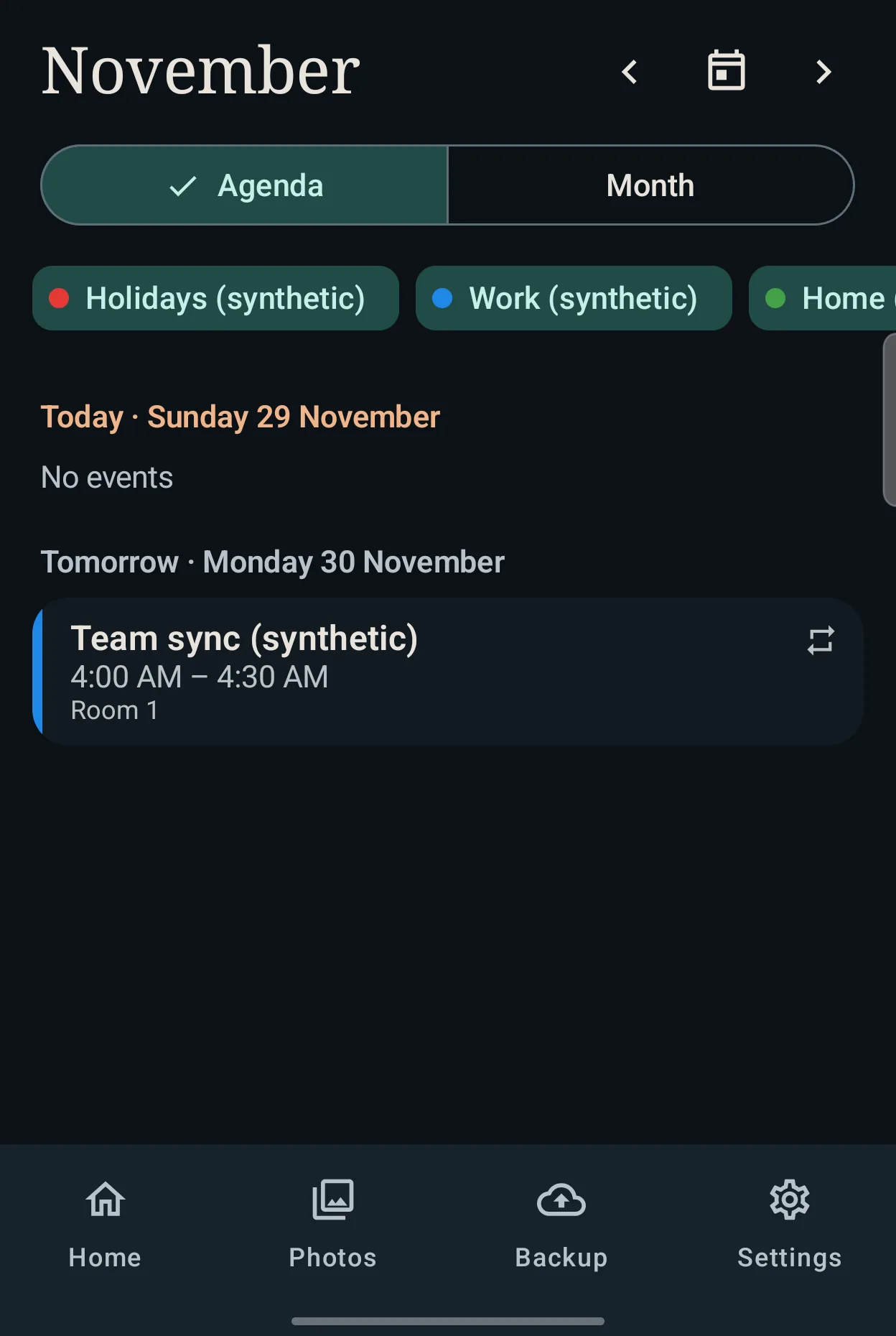
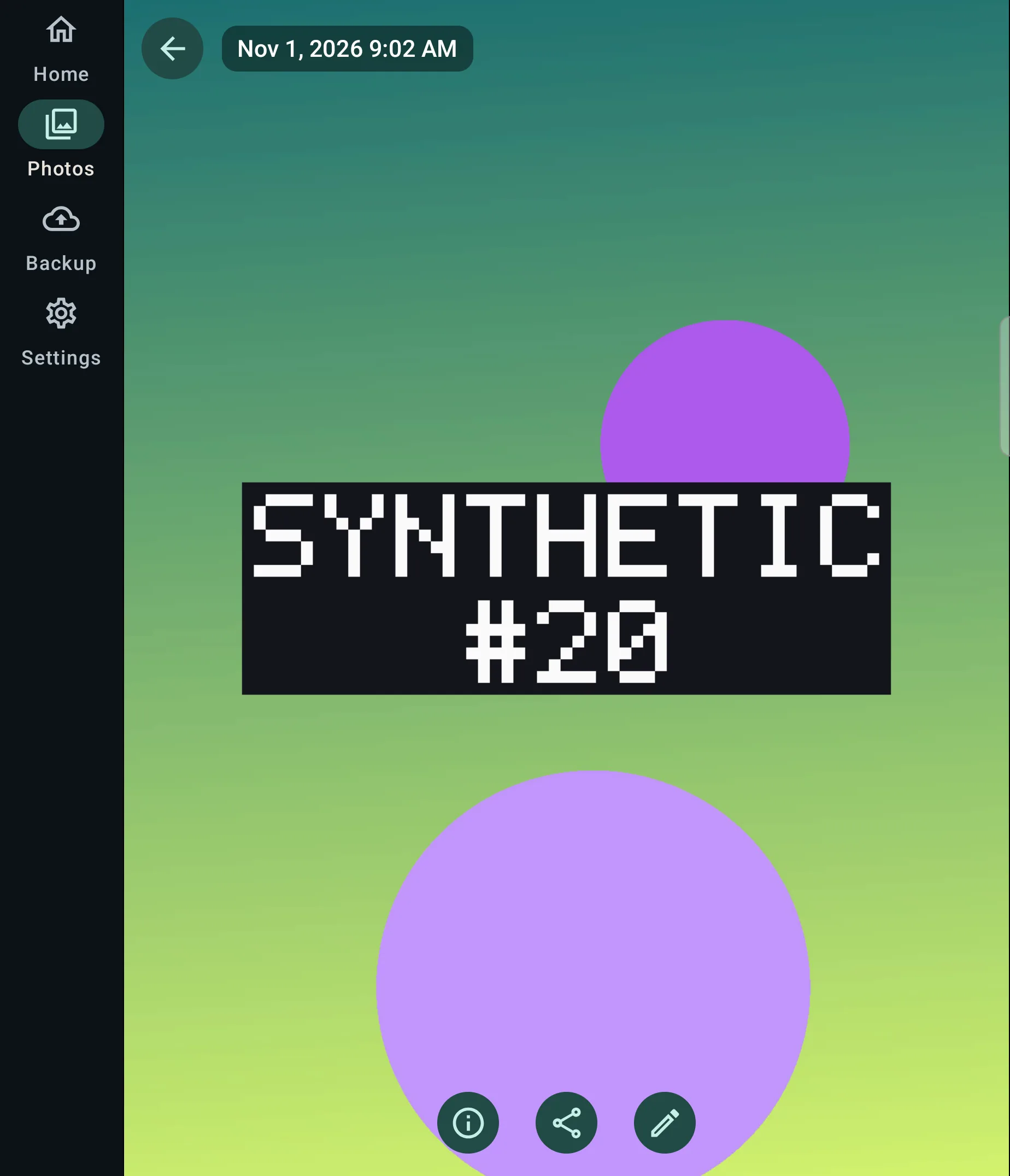
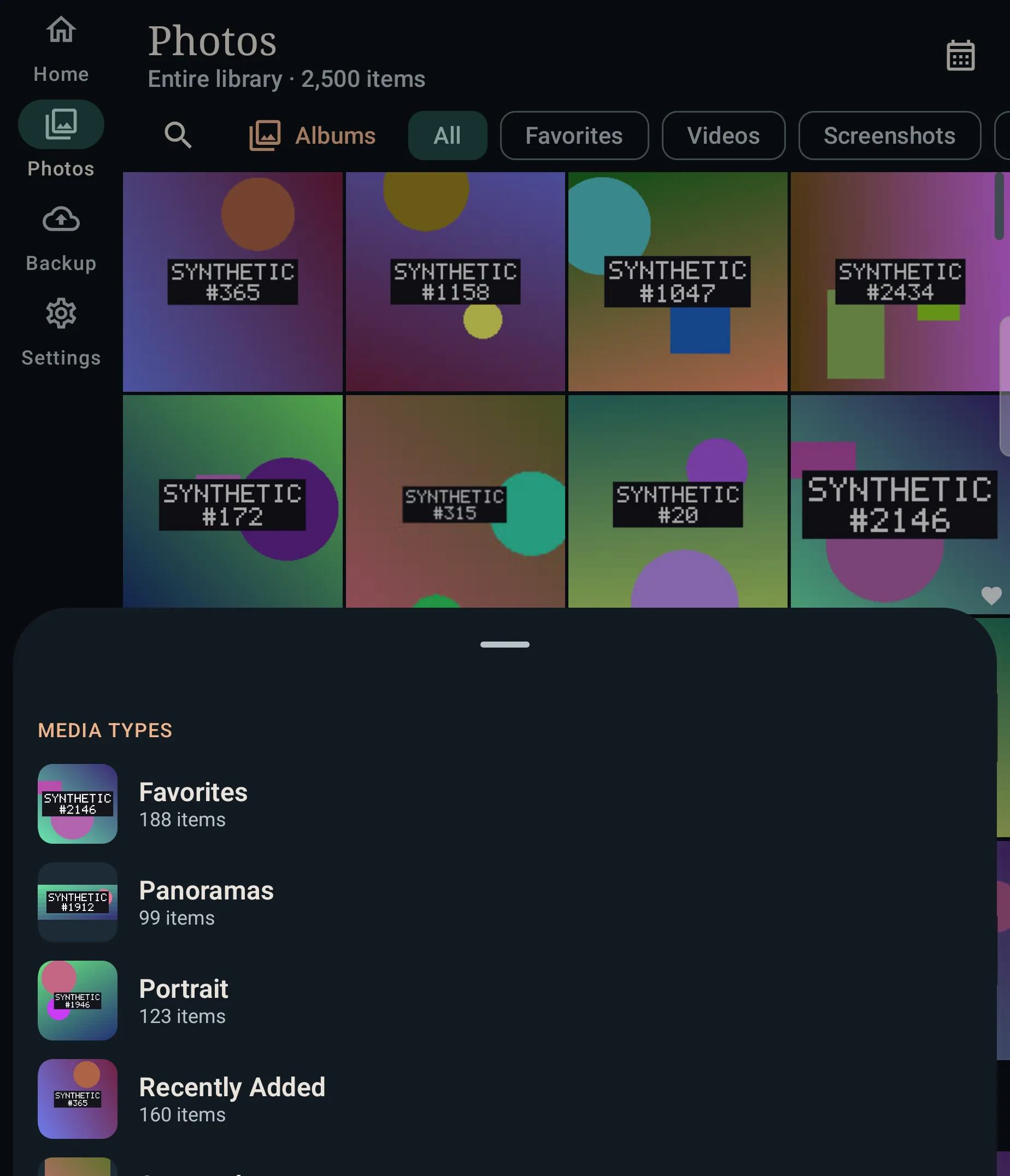
CloudBridge on a foldable · synthetic library. No real photos, names or places appear anywhere on this site.
04 Demo
Under a minute with the app.
A screen recording of CloudBridge on a foldable, browsing a synthetic library of 2,500 photos. It has no sound, captions are included, and it never plays on its own.
What the video shows
- 0:00The photo grid, scrolling through a synthetic library of 2,500 items.
- 0:09"Today" jumps back to the newest photos.
- 0:17The viewer: swipe between photos.
- 0:25Albums: browse by media type.
- 0:29Favorites.
- 0:37Swipe through your favorites in the viewer.
- 0:44Photo info: synthetic camera details, and "No location".
05 Privacy model
Hidden stays hidden. Everything is denied by default.
photo routes → 423 until a fresh hidden-set sweep is confirmed
hidden album → never indexed
relaxing the policy → biometric signature from the phone
- Hidden photos are never indexed
Photos in Apple's Hidden album never reach the hub's index, thumbnails or caches.
- Hide it anywhere, it disappears everywhere once your Mac reports the change
When you hide a photo on any Apple device, the hub deletes everything derived from it once the Mac reports the change, and the phone purges its cached copies.
- When in doubt, browsing stops
If the hub cannot confirm the hidden set within the policy window (15 minutes by default), photo browsing pauses until it can. Backup keeps working.
- Nothing goes to us, or to anyone else
No telemetry, analytics or crash reporting, and no content in logs. Remote access goes through your own VPN.
- Public Beta
Several features are covered mainly by automated tests and limited device testing. Expect rough edges, and please report them.
- The Mac must be on
To fetch previews and originals the hub has not cached, import backups and confirm the hidden set. Uploads to the hub keep working while it is off.
- Built from source
Releases attach a signed APK, verifiable with the project fingerprint (docs/signing.md). Until the first release is published, build the app from source. The hub and the Mac connector are built from source, and no container images are published yet. How to build and verify
- Native amd64 not yet verified
The hub builds for linux/amd64; under emulation 647 of 653 hub tests pass. Results from real amd64 hosts are welcome.
- Not an iCloud client
CloudBridge works with the Photos library on your Mac, not with iCloud.com.
07 Quick start
Copy. Paste. Run.
Contributors get a full synthetic stack with nothing but Docker. Self-hosters run the hub on a Linux machine on their own network.
Synthetic development environment · Docker with Compose, make
1 · Clonegit clone https://github.com/ft-dev-org/cloudbridge-oss.git cloudbridgecd cloudbridge2 · Start the development hub and the mock connectormake dev-up # build the hub image, start the hub and the mock connectormake dev-status # containers and `cloudbridge-hub status`make dev-logs # follow the mock connector3 · Pair the Android debug build (JDK 17, Android SDK, adb)cd androidecho "sdk.dir=/path/to/Android/sdk" > local.properties./gradlew installDebugadb reverse tcp:18650 tcp:18650 # the phone or emulator reaches the dev hub at 127.0.0.1:18650cd .. && make dev-pair-android # prints a QR code and a cloudbridge://pair?... link4 · Run the test suitesmake test-hubHub on a Linux host · Docker Engine and the Compose plugin
git clone https://github.com/ft-dev-org/cloudbridge-oss.git cloudbridgecd cloudbridge/deploycp cloudbridge.env.example .env # set CB_LAN_IP, CB_DATA_PATH, CB_CA_OFFLINE_PATHsudo install -d -m 700 -o 1000 -g 1000 /srv/cloudbridge/data /srv/cloudbridge/ca-offline./check-host.sh --preflightdocker compose builddocker compose --profile init run --rm cloudbridge-init-tlsdocker compose up -ddocker compose exec cloudbridge-hub cloudbridge-hub doctordocker compose exec cloudbridge-hub cloudbridge-hub pair --role connector --name "Mac"Self-hosting needs a Linux host with Docker Engine and the Compose plugin, a Mac with macOS 14 or later, and an Android phone with Android 10 or later. Then build and pair the Mac connector and the Android app. Contributors: the full guide is the developer quick start.
Part two · Built together
What we build next, with you.
Nothing in this part is a promise or a feature of 0.4.1. These are open invitations: issues, proposals and roles that anyone can pick up.
08 Start contributing
A full development stack in four steps. No Mac required.
The synthetic development environment runs a real hub and a mock connector serving a generated library. Nothing in it comes from a real library, so you can build, test and document the whole product from any machine with Docker.
Needs only Docker. No Mac, no Apple account, no special hardware and no access to any private infrastructure.
git cloneClone the repository and change into it.
make dev-upBuilds the hub image and starts a loopback-only hub with its own throwaway CA, plus a mock connector that answers like a Mac would.
make dev-pair-androidInstall the Android debug build, then scan the QR code or paste the link. The code works once and expires after 120 seconds.
make test-hubRuns the whole hub suite, including the development environment tests. Every suite uses generated data only.
Good first issues
- #74Dev env: synthetic geographic metadata and place namesbackend
- #39Docs: first-run walkthrough from zero to first browsed photodocs
- #18Docs: device test matrix for phones, foldables and tabletsandroid
- #33Accessibility: TalkBack pass over Calendar, Contacts and Remindersa11y
- #9CI: fail the build on actions not pinned to a full SHAci
- #12Connector: report the release versionmacos
- #40Docs: schedule encrypted hub backups with a systemd timer or crondocs
- #8Docs: collect hub install results by platformself-hosting
09 Founding Contributors
The first 25 qualified contributors, recognised by name.
CloudBridge 0.4.1 is the project's first public release, and it has one maintainer today. The Founding Contributors program recognises the first 25 people whose work makes the project better in a lasting way. It is about credit and voice, not rewards.
What you receive
- A listing in
CONTRIBUTORS.mdwith the right contribution types, as for every contributor. - A Founding Contributor marker next to your name in a dedicated table, with your slot number and qualifying contribution.
- Release-notes credit by GitHub handle in the release that ships your work.
- Your name in the monthly community thread in GitHub Discussions, where direction, module proposals and review priorities are discussed.
How a slot is earned
- A merged, non-trivial pull request that passed review, or
- sustained triage over at least four weeks, or
- sustained documentation or testing over at least four weeks, for example the device test matrix (#18) or amd64 results (#7).
Recognition only: no money, bounties, swag or tokens, now or later. One slot per person. It grants no merge rights; roles follow the governance.
10 Modules and maintainers
Own a piece of CloudBridge.
CloudBridge has one maintainer today, and the goal is to share that responsibility as soon as others can carry it. The path is written down.
- Step 1Contributor
Issues, discussions, pull requests and reviews. Open to anyone.
- Step 2Triager
Labels, deduplicates and closes issues, after about two months of useful participation.
- Step 3Maintainer of an area
Hub, Android, connector, deployment or documentation. Reviews and merges in that area.
-
Documented in the repository
Build with the Module SDK
A module adds one capability across the hub, the Mac connector and the app. The interfaces are documented layer by layer, with a worked "hello" module and the privacy rules every module must meet.
Read the SDK -
Path in GOVERNANCE.md
Own an area
Maintainers are listed in CODEOWNERS for their area. The criteria: a track record of merged, tested pull requests there, reviews that caught real problems, two-factor authentication and signed commits.
The path to maintainer -
A proposal, open for discussion
Propose a module area
An idea we would like your view on: a module such as Calendar, Contacts or Reminders could become an area of its own, owned end to end by someone other than the founder. It is not a rule yet; it needs discussion and a change to GOVERNANCE.md first.
Join the discussion -
Module-platform starter work
Make modules easier to build
11 Open invitations
Not built yet. Open to you.
Each item is an issue or a roadmap theme where design and code are welcome. Each would be optional, off by default and reviewed first.
Not in CloudBridge 0.4.1. No dates and no promises. Open for design and contribution.
- A read-only Drive module
Browse a folder you grant on the Mac. It starts with a module proposal and a design review; Notes and Mail start with research.
Drive #55Notes #56Mail #57 - Local AI on your hub
Semantic search and duplicate detection on a CPU profile, with no data leaving the hub.
Sidecar #58Licences #59 - The app in your language
String scaffolding first, then community translations: German, Spanish, French, Italian and more.
Scaffolding #26Languages - An accessibility audit
The grid, viewer, editor and module screens with TalkBack, Switch Access and large fonts, and the fixes that follow.
Grid #31Viewer #32 - Scheduled off-host backups
Encrypted archives with retention on a NAS or external disk. Manual encrypted backups exist today.
Retention #41 - Reproducible builds and F-Droid
Rebuild the APK from a tag and get the same bytes, then metadata and an inclusion review.
Builds #37F-Droid #38 - Native amd64 hubs
Confirm the hub on real amd64 hardware and make the amd64 CI job required.
amd64 #7 - A community module registry
Signed manifests and review tiers for modules outside the main repository, with no remote code execution. A written proposal today.
ProposalRoadmap
Have an idea of your own? Propose and vote in Discussions, Ideas. Votes guide maintainers; they never override the scope rules or the security review.
12 Community
One ecosystem.Every device.Built together.
Open source under AGPL-3.0-only, governed in public on GitHub, and open to contributors in any country and any language. Every kind of contribution counts.